
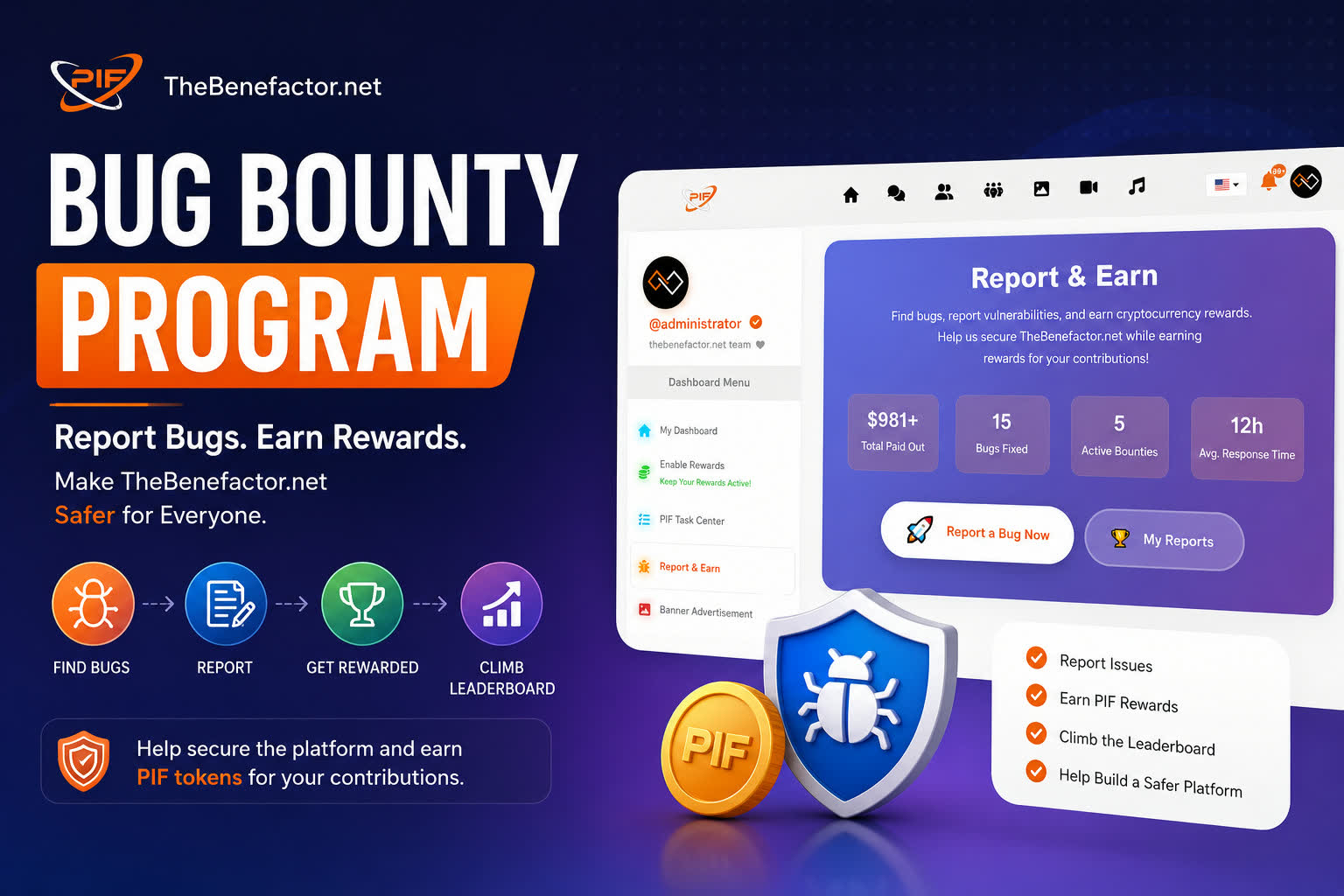
Keeping TheBenefactor.net secure is a community effort. Our Bug Bounty Program, also known as Report & Earn, rewards users who help us identify bugs, security vulnerabilities, and other issues that improve the platform for everyone.
Whether you’re an ethical hacker, security researcher, developer, or simply a user who spotted something unusual, you can submit a report and earn PIF token rewards for valid findings.
This guide explains everything you need to know about how the program works, how to submit a high-quality report, how rewards are calculated, and how you can become one of our top bug hunters.
🛡️ What is the Bug Bounty Program?
The TheBenefactor.net Bug Bounty Program is designed to reward members of our community who help improve the security, stability, and overall quality of the platform.
Instead of bugs remaining hidden, we encourage responsible reporting by rewarding contributors with PIF Tokens, which are deposited directly into their Spending Wallet after a report has been reviewed and approved.
You can report things such as:
✅ Security vulnerabilities
✅ Broken features
✅ Wallet issues
✅ UI/UX bugs
✅ Performance problems
✅ Incorrect functionality
From a simple visual glitch to a serious security issue, every valid report helps make TheBenefactor.Net safer for everyone.
🚀 How to Access Report & Earn
Finding the Bug Bounty portal is easy.
Option 1
Navigate using the Report & Earn link in the left sidebar after logging into your account.
Option 2
Visit:
📊 What You’ll Find on the Bug Bounty Dashboard
The Bug Bounty homepage includes several useful sections:
📈 Live Program Statistics
View real-time statistics, including:
- 💰 Total Rewards Paid
- 🐞 Bugs Fixed
- 🎯 Active Bug Bounties
- ⚡ Average Response Time
🏆 Bug Hunter Leaderboard
Compete with other researchers and see:
- Total Reports
- Valid Reports
- Rewards Earned
- Bug Hunter Level
🔓 Recently Disclosed Bugs
Once vulnerabilities are fixed and researchers choose to disclose them, they’ll appear here so the community can learn from real-world security improvements.
🔍 How the Bug Bounty Program Works
Reporting a bug only takes a few steps.
Step 1 — Find a Bug
Explore TheBenefactor.net and identify something that isn’t working correctly or could pose a security risk.
Examples include:
- Broken pages
- Wallet issues
- Authentication problems
- Permission bypasses
- UI bugs
- Data exposure
- Performance issues
Step 2 — Check Active Bounties
Visit the Bug Bounty page to browse the current Active Bug Bounties.
Each bounty includes:
- Reward range
- Eligible issue types
- Severity
- Submission requirements
You can click Details to learn exactly what qualifies.
Step 3 — Submit Your Report
Click Report on the bounty card or use the Quick Report search to open the submission form.
The more information you provide, the faster our team can verify your report.
📝 Submission Requirements
To help us reproduce and verify the issue quickly, please include as much detail as possible.
📌 Title
Provide a short, descriptive title.
Maximum: 200 characters
🚨 Severity
Choose the severity level that best matches the issue.
- 🟢 Low
- 🟡 Medium
- 🟠 High
- 🔴 Critical
📖 Description
Explain:
- What the bug is
- Where it occurs
- Why it’s a problem
Minimum: 50 characters
🔄 Reproduction Steps
Describe exactly how to reproduce the issue.
Example:
- Login
- Visit Settings
- Click Update
- Observe the unexpected behavior
Minimum: 20 characters
✅ Expected vs Actual Result
Although optional, this greatly speeds up validation.
Example:
Expected
Saving the profile should update successfully.
Actual
A 500 server error appears.
💻 Environment
If applicable, include:
- Browser
- Operating System
- Device
- Screen size
- App version
📎 Attachments
Visual evidence is extremely helpful.
Supported uploads include:
Screenshots, Videos, Log files, PDFs, JSON files, and Text files
Limits:
- Maximum 5 files
- Maximum 10 MB per file
⚠️ All uploaded files undergo strict security validation. Uploading malware, executable files, shells, or attempting to bypass upload restrictions will result in a permanent account ban.
🚦 Anti-Spam Protection
To maintain report quality and prevent abuse, the Bug Bounty system includes built-in submission limits.
📅 Daily Report Limit
Each account may submit up to 10 reports per day.
If you reach this limit, you’ll be able to submit additional reports after the daily reset.
💰 Rewards, PIF & Bug Hunter Levels
Every approved report earns PIF Token rewards
🟢 Low Severity
Examples:
- Minor UI bugs
- Typographical errors
- Small visual issues
🟡 Medium Severity
Examples:
- Functional bugs
- Broken workflows
- Layout issues
🟠 High Severity
Examples:
- Data leakage
- Privilege escalation
- Broken permissions
Reward: 200 PIF (Depends on Severity)
🔴 Critical Severity
Examples:
- SQL Injection
- Authentication bypass
- Wallet manipulation
- Remote Code Execution
Reward: 500 PIF (Depends on Severity)
💡 Reward amounts vary depending on the specific bounty and the impact of the reported issue.
📋 Report Statuses
Track your reports under My Reports.
Possible statuses include:
🟡 Pending — Waiting for initial review
🔍 Under Review — Our security team is validating the report
✅ Approved — Report confirmed as valid
💰 Rewarded — PIF reward has been paid
🛠 Fixed — The issue has been resolved
📢 Disclosed — Publicly shared with community approval
📄 Duplicate — Another researcher reported it first
❌ Rejected — Could not be reproduced or does not qualify
🗑 Managing Your Reports
You may delete a report while it is still Pending.
Once the report enters Under Review or progresses further in the review process, it becomes locked and can no longer be deleted.
🔐 Responsible Disclosure
To protect the community, we follow a Responsible Disclosure Policy.
Please do not publicly disclose vulnerabilities before they have been fixed.
Publishing bugs on social media, forums, or other platforms before approval may:
- Disqualify your reward
- Delay the fix
- Lead to account restrictions
Once your report has been:
- Approved
- Fixed
- Rewarded
you may choose to disclose it publicly through the platform, allowing other developers and researchers to learn from the issue.
❓ Frequently Asked Questions
When are rewards paid?
After a report has been reviewed and approved, the reward is deposited directly into your Spending Wallet.
The USD bounty amount is automatically converted into its equivalent value in PIF Tokens using the current exchange rate at the time of payment.
Can I report non-security bugs?
Absolutely!
We welcome reports for:
- UI issues
- Broken features
- Performance problems
- Incorrect behavior
- Security vulnerabilities
Every valid report contributes to improving the platform.
What if someone reports the same bug first?
Rewards are granted on a First Reported, First Validated basis.
If another user has already submitted the same issue, your report will be marked as a duplicate.
Can I publicly share my findings?
Only after:
- The issue has been fixed
- Your reward has been paid
- You choose to disclose the report through the platform
Please avoid publicly sharing vulnerabilities before then.
Can I vote on Bug Bounties?
Yes! 👍👎
You can upvote or downvote active Bug Bounty rules to help us improve reward ranges and submission requirements.
🎯 Help Secure TheBenefactor.Net
Every report, whether it’s a small visual bug or a critical security vulnerability, helps make TheBenefactor.net more secure, more reliable, and better for the entire community.
If you discover an issue, don’t ignore it.
Report it, help improve the platform, earn PIF rewards, and climb the Bug Hunter leaderboard. 🚀